
Hansa Overview · 3 MIN READ
Platform Modules
Key Platform Modules
Jobs
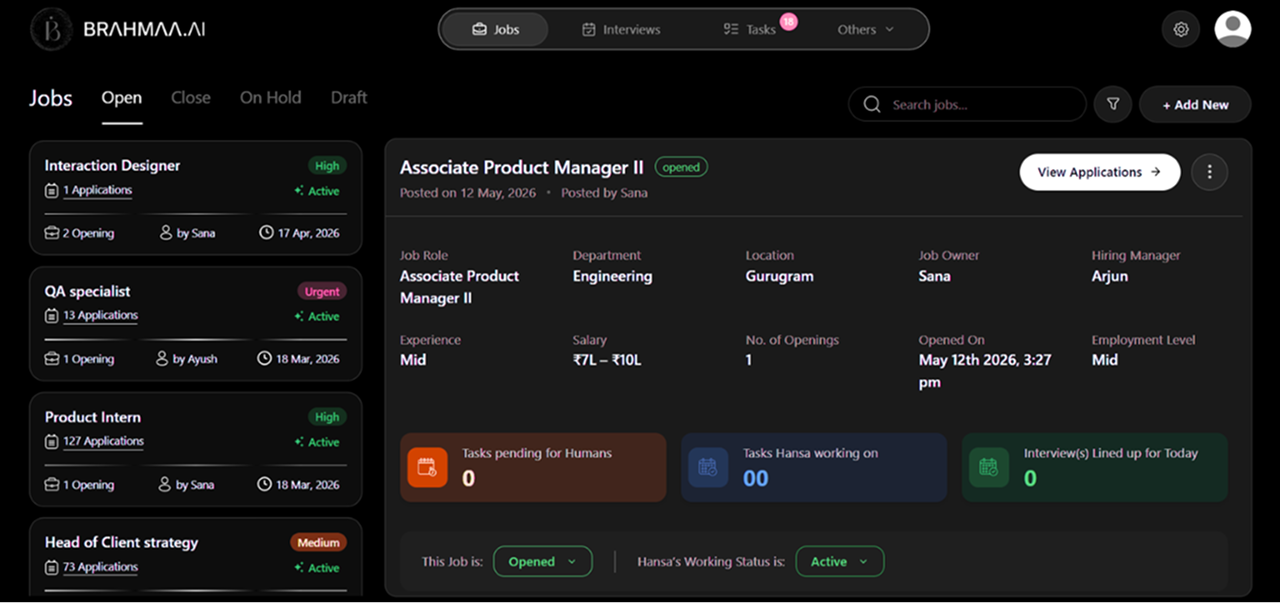
Access: Jobs tab (top navigation). The Jobs tab is your primary workspace — it lists all active, draft, on-hold, and closed job postings across your organisation. From here you can create new jobs, open any existing job to view its pipeline, manage applicants, and track hiring progress. Every job card shows the role title, department, location, number of openings, current applicant count, and status at a glance.
Tasks
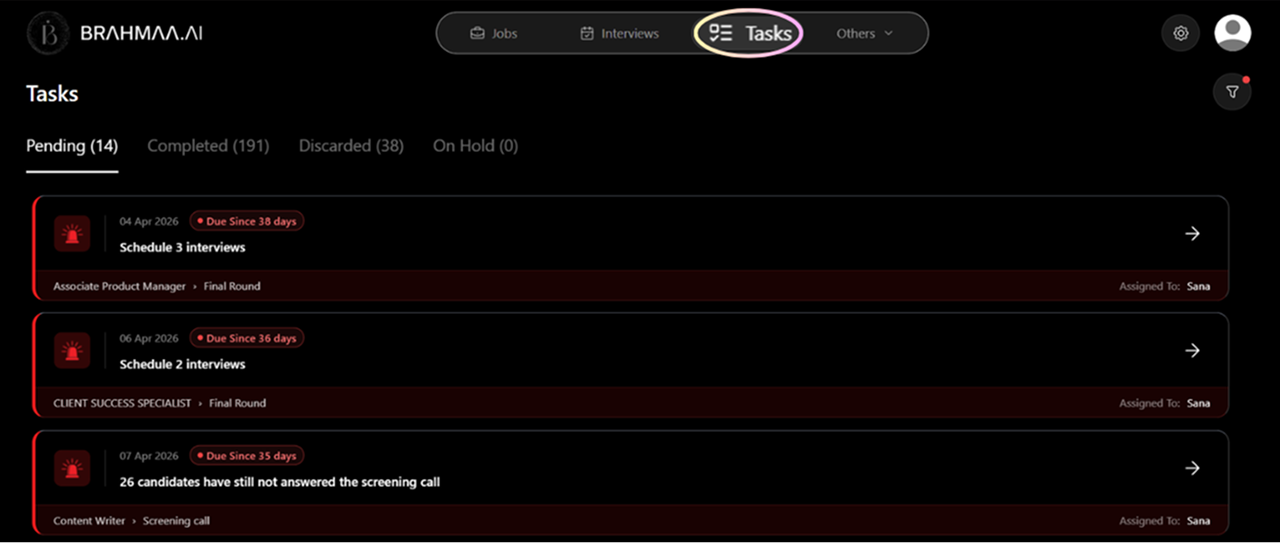
Access: Tasks tab (top navigation). Your central hub for every pending action across all jobs.
| Tab | What it shows |
|---|---|
| Pending | Tasks sent to candidates or actions awaiting completion — highlighted in red with deadlines. Also shows unanswered calls and unscheduled interviews. |
| Completed | Resolved actions: interviews scheduled, feedback submitted, decisions taken. |
| On Hold | Tasks tied to jobs that have been paused. Move here automatically to keep Pending clean. |
| Discarded | Tasks auto-discarded when a job is closed while the task was still pending. |
Click into any task to see all associated candidates on the left, full profile in the centre, and resume, call data, and screening answers on the right.
Interview Scheduling
Hansa can manage the entire interview coordination workflow automatically:
- Contacts the interviewer to collect available time slots
- Reaches out to the candidate with mutually suitable options
- Candidate selects a slot — or requests rescheduling if none work
- Hansa generates and sends calendar invites with Google Meet or Microsoft Teams links
- Handles all rescheduling automatically if either party requests a change
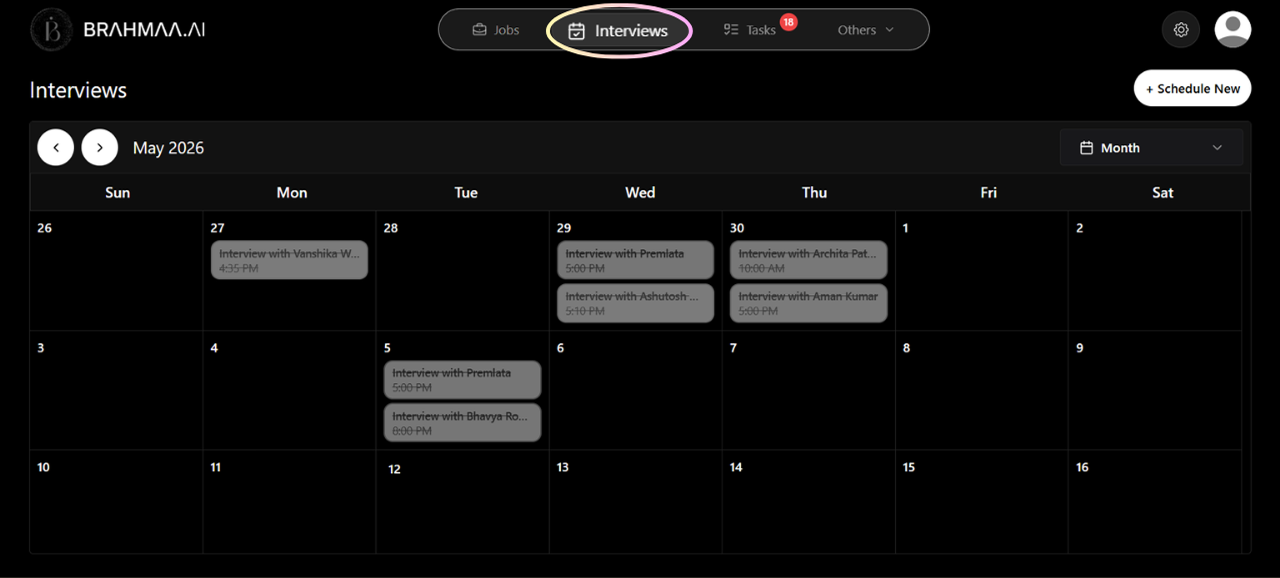
Tip: The Interviews tab in top navigation shows a unified monthly calendar of all interviews across all jobs.
Call History
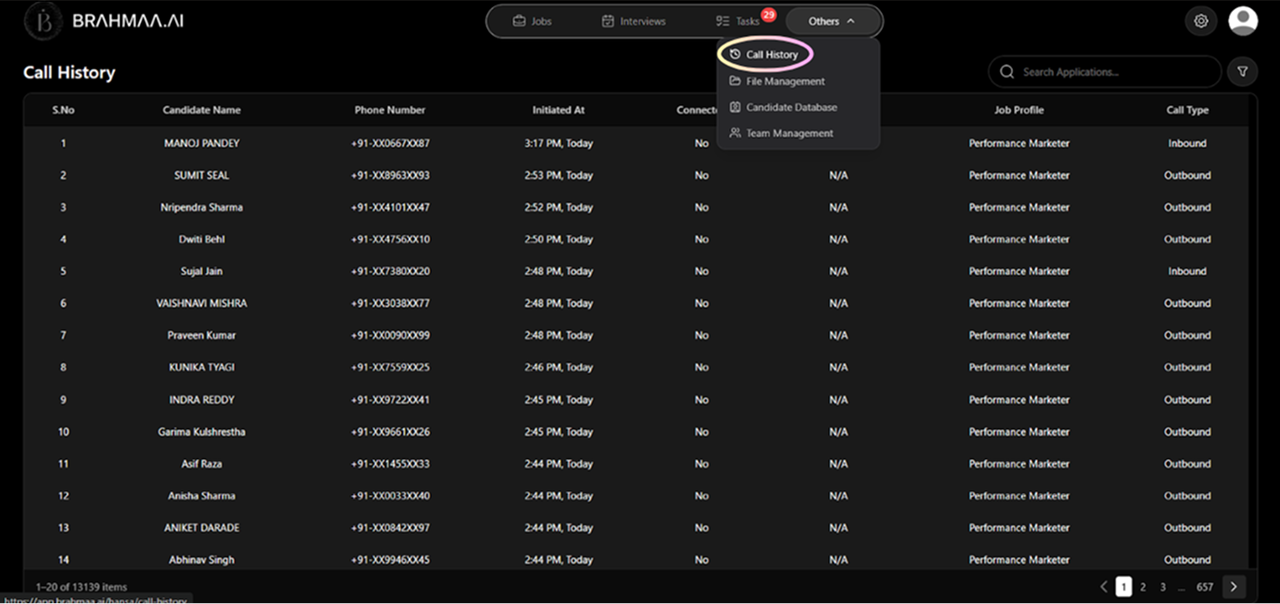
Access: Others > Call History. A complete audit trail of every AI call made or received.
- Each record shows: candidate name, job, call type, direction, date, time, duration, status
- Filter by job, call type, duration, date range, or tags
- Click any completed call to open the full recording, AI-generated transcript, and call summary
- Use 'Call Again' to instantly initiate a fresh call to the same candidate
File Management
Access: Others > File Management. Centralised document storage organised into 6 pre-built folders:
| Folder | What it stores |
|---|---|
| Job Description Folder | All JD files — both uploaded and AI-generated |
| Offer Letter Folder | Offer letter templates and finalised candidate-specific letters |
| Task Files Folder | Assignment files distributed to candidates |
| Candidate Documents Folder | All documents submitted during verification stages |
| Templates Folder | Reusable email and WhatsApp message templates |
| Forms Folder | Form templates for task submission, document verification, and offer collection |
Was this article helpful?
Hansa Overview