
Getting Started · 1 MIN READ
First Login and Navigation
First Login
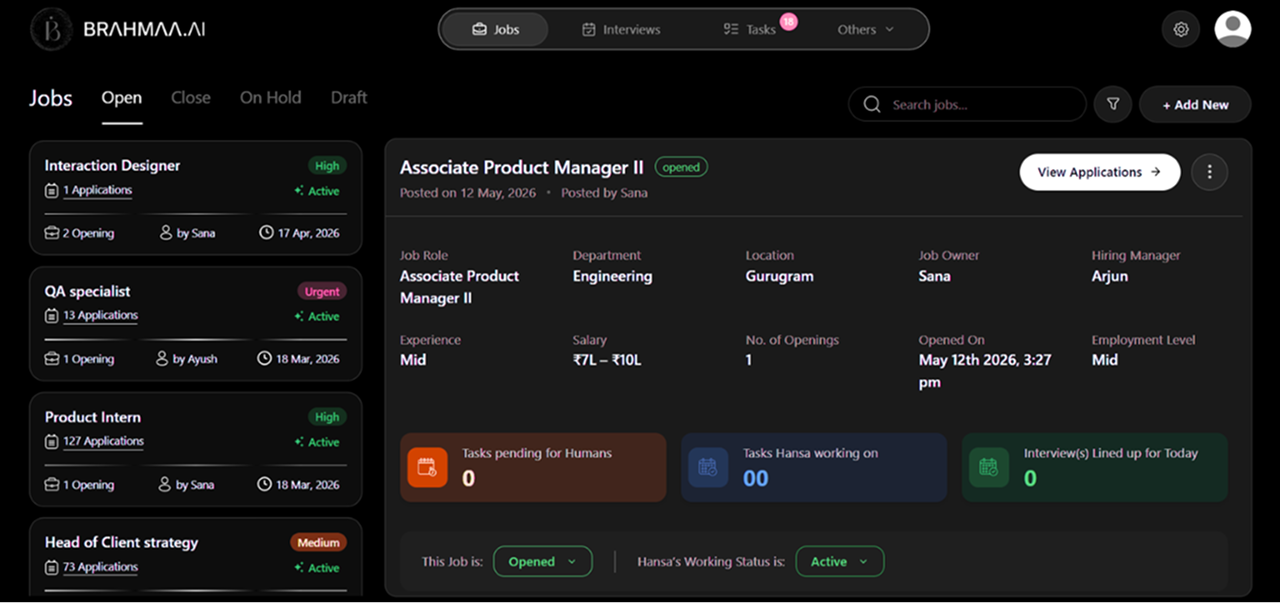
You land on the Jobs page — empty with a 'Start Hiring in Minutes' prompt and a large '+ Create a Job' button at the centre. The top navigation always shows four tabs:
- Jobs — all your job postings and candidate pipelines
- Interviews — unified calendar of all scheduled interviews across all jobs
- Tasks — all candidate task assignments and their submission statuses
- Others — expands to show User Management, Candidate Database, File Management, and Call History
The gear icon (top right) opens Settings. The profile icon manages your account.
App Features & Capabilities
- Active job management with full pipeline control
- AI resume parsing and ACE Score generation
- Automated AI calling for screening and interview scheduling
- WhatsApp, email, and call-based candidate communication
- Team collaboration with data access controls
- Candidate database across all jobs with CSV/Excel export
- File management for JDs, templates, forms, and candidate documents
- Interview calendar with automated invite generation
- Call history with AI-generated transcripts and summaries
- Candidate query resolution via WhatsApp and inbound calls
Was this article helpful?
Getting Started