
Getting Started · 1 MIN READ
Getting Started Checklist
Getting Started Checklist
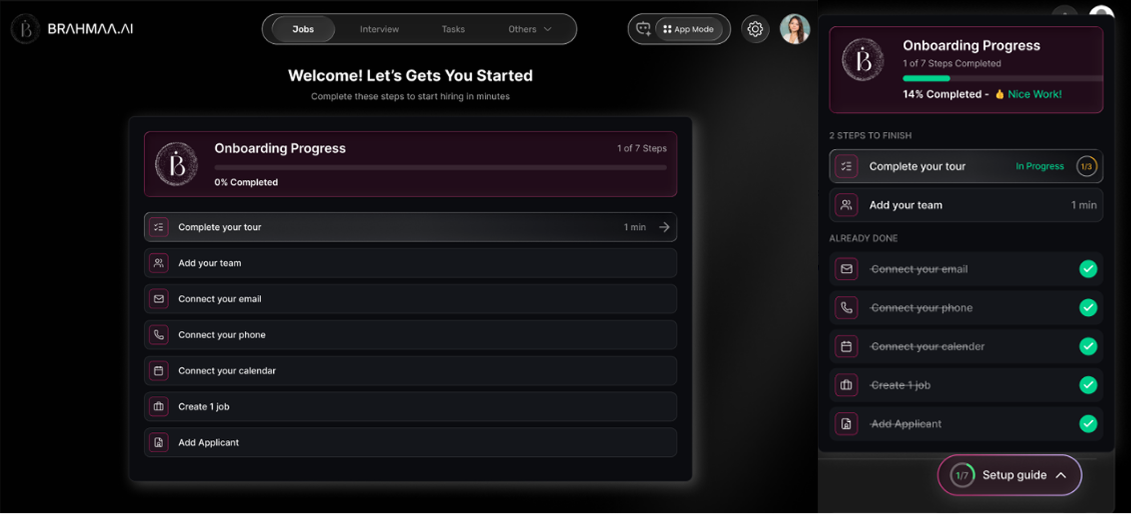
Complete this one-time setup before creating your first job. Skipping any step limits what Hansa can do.
| Step | Where to Go | What to Do |
|---|---|---|
| Add your team | Others > User Management | Add everyone involved in hiring — interviewers, reviewers, HR. Assign data access. |
| Connect calling | Settings > Integrations | Connect Exotel or Plivo so Hansa can make calls to candidates. |
| Connect messaging | Settings > Integrations | Connect WhatsApp Business and/or Gmail or Outlook for candidate messaging. |
| Connect calendar | Settings > Integrations | Connect Google Calendar or Microsoft Calendar for interview scheduling. |
| Set up Agent Profile | Settings > Agent Profile | Give your AI agent a name, voice, and personality. Run a test call before going live. |
Tip: Always run a test screening call from Settings > Agent Profile before publishing your first job. It takes 30 seconds and shows exactly what candidates will hear.
Was this article helpful?
Getting Started