
Manage a Live Job · 1 MIN READ
Tasks, Interviews and Candidate Database
Tasks
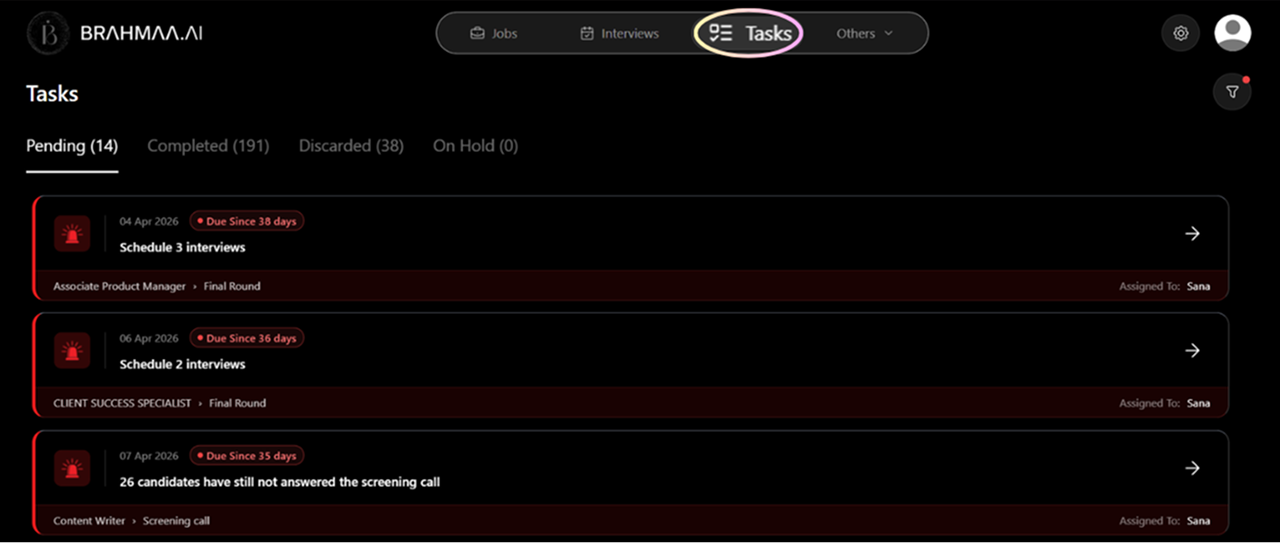
Track all pending actions from the Tasks tab in top navigation. From any task you can:
- See all candidates associated with the task on the left panel
- View their full profile, resume, call data, and screening answers
- Reject, retry calling, schedule interviews, or enter details manually
- Track deadlines — overdue tasks are highlighted in red
Interviews
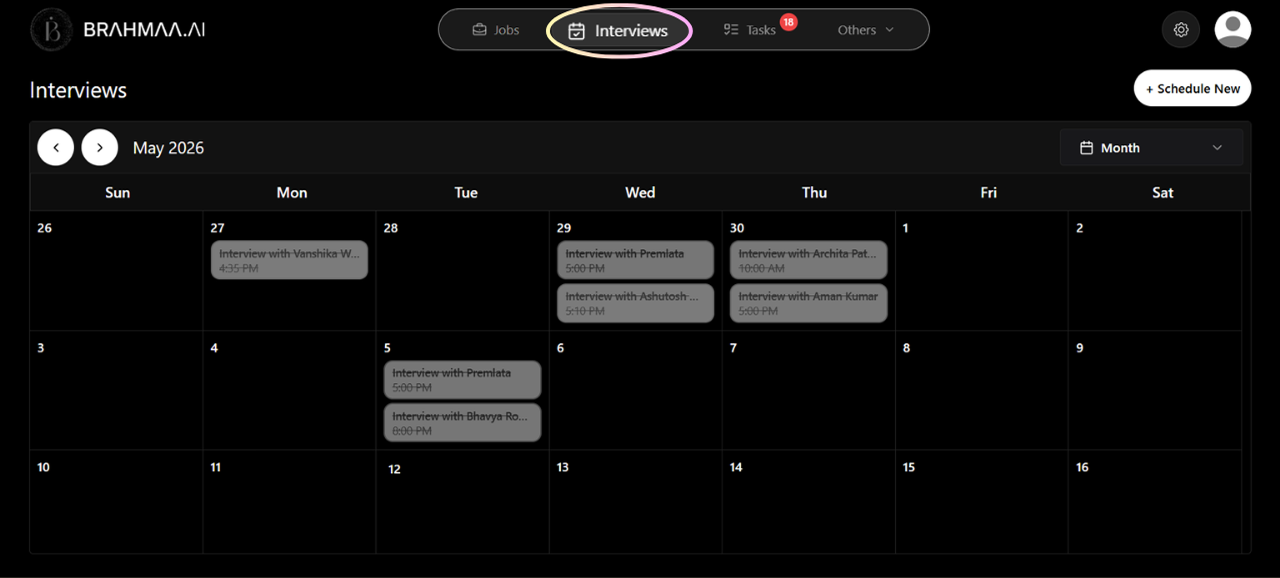
- View all upcoming and past interviews in a unified monthly calendar (Interviews tab)
- Manually schedule via '+ Schedule New' — select candidate, interviewer, date, time
- Track status per interview: Scheduled, Completed, Cancelled, No-show
- Hansa handles rescheduling automatically when scheduling is set to automated
Candidate Database
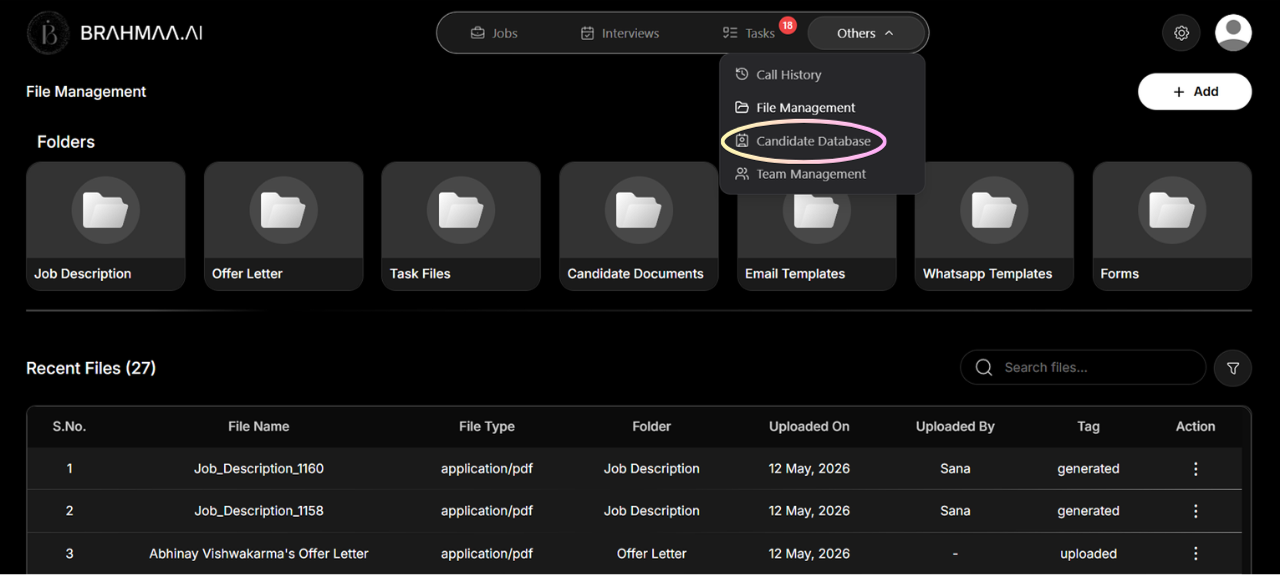
Access: Others > Candidate Database. Organisation-wide view of every candidate across every job.
- Search by name, email, or phone number
- Filter by specific job, pipeline stage, ACE score range, years of experience, or candidate status
- Identify candidates rejected for one role who may suit another
- Export as CSV or Excel for sharing outside the platform
Was this article helpful?
Manage a Live Job