
Creating a Job · 2 MIN READ
Step 2: Job Requirements and Qualifying Criteria
Step 2 — Job Requirements
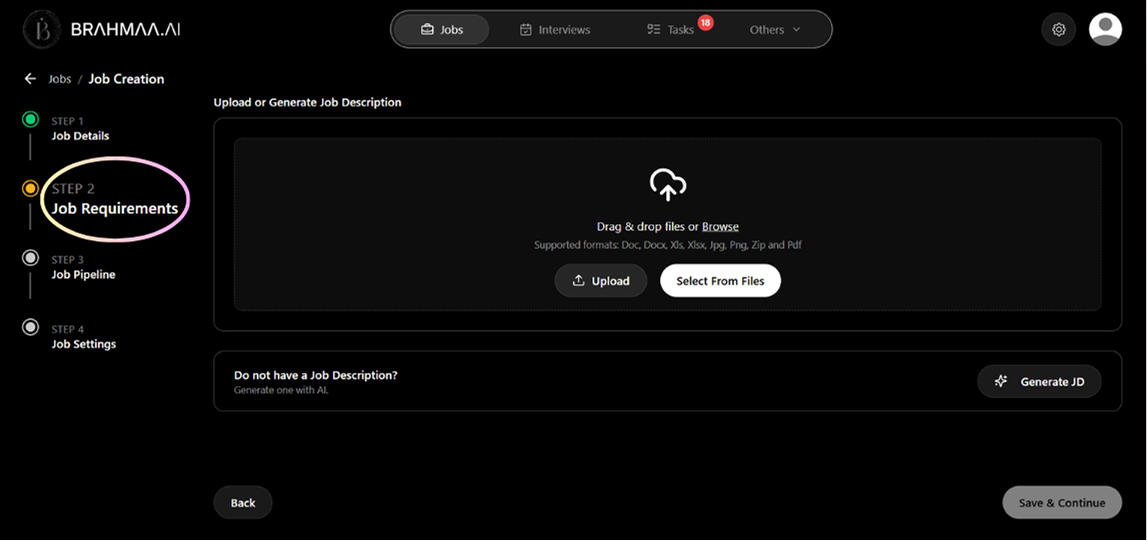
Upload or paste your Job Description. Hansa reads it and automatically extracts qualifying criteria in two tiers:
| Tier | Weight in ACE Score | What it means |
|---|---|---|
| Must Have | 70% | Non-negotiable requirements. Missing any drops the score significantly. |
| Good to Have | 30% | Desirable but optional. Improves the score without determining pass/fail alone. |
Take time here. Read every criterion. Edit anything that looks wrong. Delete anything irrelevant. Add anything missing. Use the 'Rethink' button to regenerate the full list if needed.
Warning: If Must Have criteria are too vague, every candidate will score high and you won't be able to differentiate them. If too narrow, great candidates get filtered out silently. This is the most common mistake on Hansa.
Supported JD upload formats: .doc, .docx, .pdf
How to Generate a JD
- In Step 2, click Generate JD with AI
- Enter the job title and a brief description of the role
- Hansa generates a complete Job Description — edit as needed
- Save to File Management > Job Description Folder for reuse in future jobs
How to Generate Qualifying Criteria
- Upload or paste your JD in Step 2
- Hansa automatically extracts Must Have and Good to Have criteria
- Review every criterion carefully — delete irrelevant ones, add anything missing
- Use 'Rethink' to fully regenerate the entire list if needed
- Click 'Yes, I've Verified' to confirm and proceed to Step 3
Was this article helpful?
Creating a Job